IntelliRisk IQ
Keep your risk file in step with real complaint data
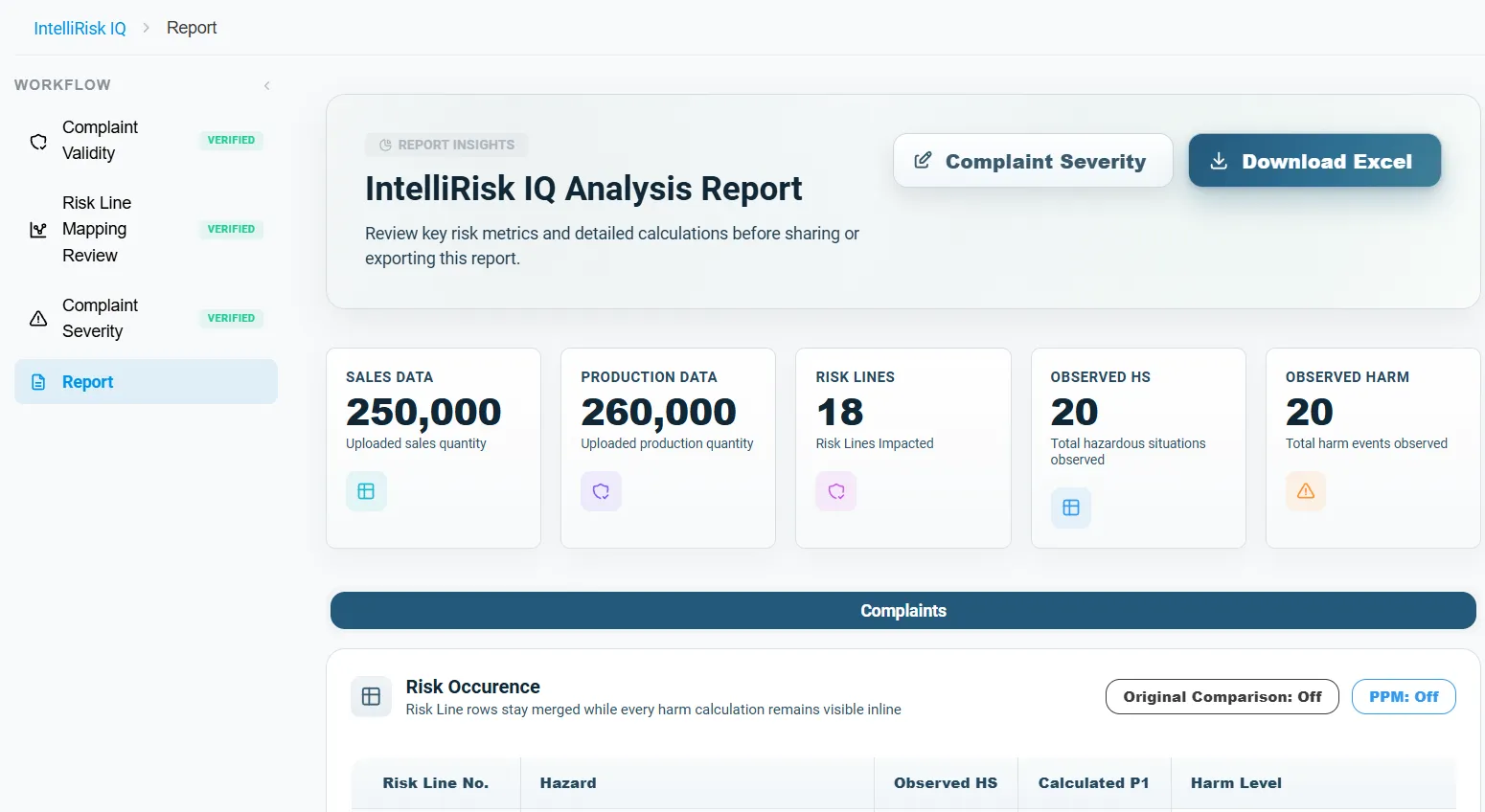
IntelliRisk IQ reads your complaints, nonconformances and risk file, maps each event to the risk lines it belongs to, and recalculates occurrence and severity from your real sales and production volumes. Every line whose risk has gone up is flagged, and your team can review each step before the results are used.
Why the risk file needs field data
A risk file is built on estimates made before the device is on the market. Once it is in use, complaints and production data show whether those estimates still hold. The standards and the MDR expect manufacturers to check, and to act when they don't.
| Source | Section | What it asks for | When | How IntelliRisk IQ helps |
|---|---|---|---|---|
| ISO 14971:2019 | Clause 10: production and post-production activities | Collect and review information about the device in use, and check whether hazards, estimated risks and their acceptability have changed | Throughout the device lifetime | Maps complaints and nonconformances to risk lines and recalculates the estimates |
| EU MDR | Annex I, Chapter I, Section 3(e)–(f) | Evaluate the impact of post-market surveillance information on hazards, their frequency, the estimated risks and risk acceptability, and amend control measures | As part of the risk management system | Shows observed frequency and severity next to your estimates and flags lines whose acceptability changed |
| EU MDR | Article 83(3)(a) | Use post-market surveillance data to update the benefit-risk determination and improve risk management | Throughout the device lifetime | Turns complaint data into proposed risk-file values your team can review |
Summary of ISO 14971:2019 clause 10, MDR Annex I Section 3 and MDR Article 83. IntelliRisk IQ supports this review; your team decides what changes in the risk file.
How IntelliRisk IQ works
-
Upload your data
Your complaint export, your risk file (an Excel sheet or a Word table), and optionally your nonconformances, with the units sold and produced in the period. IntelliRisk IQ works with a standard risk file layout, and we can set it up for your own template.
-
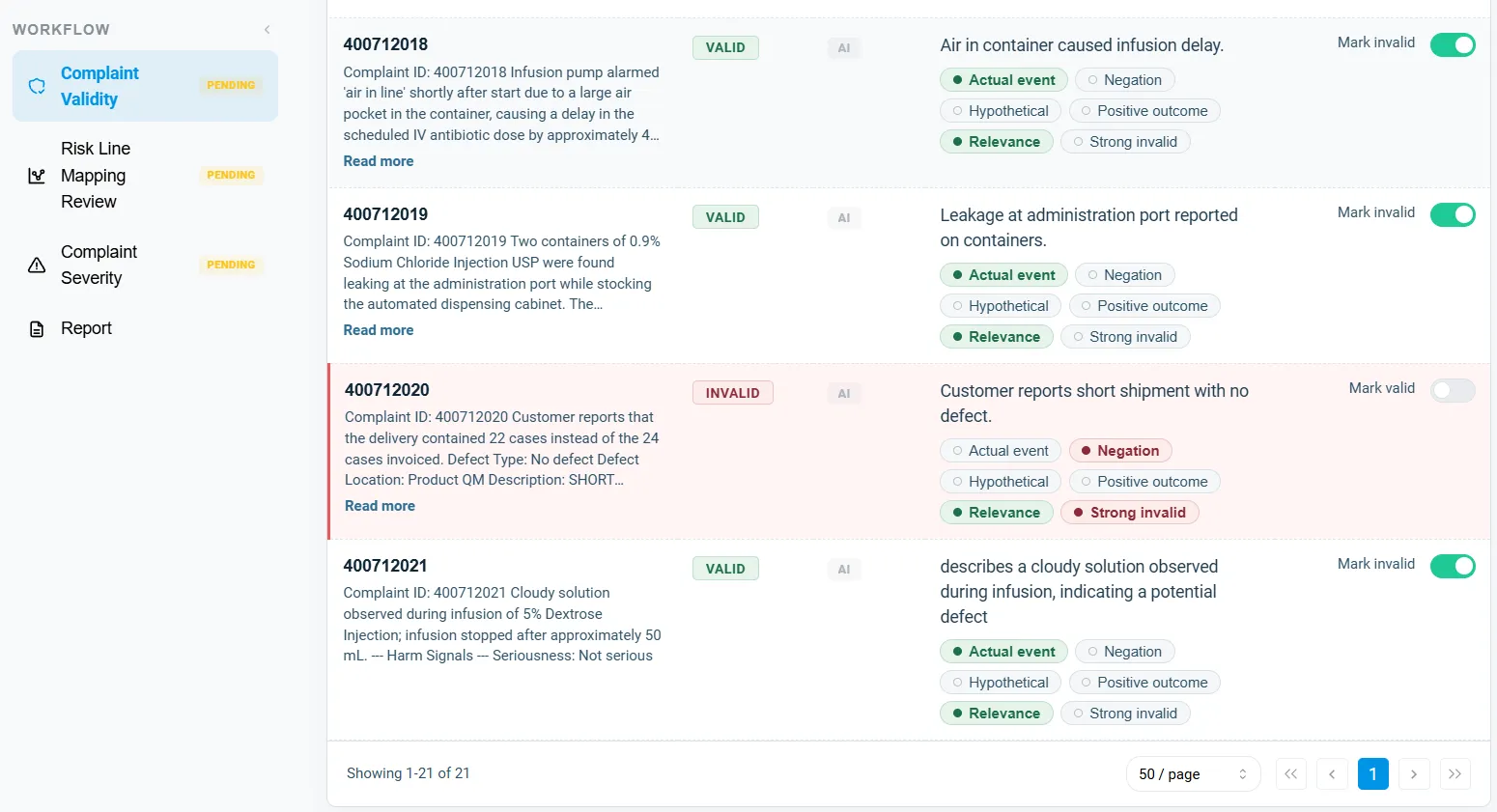
Screen complaint validity
Each complaint is checked for whether it describes a real product event, or a non-issue such as a negated, hypothetical or positive-outcome report. You can confirm or override each verdict.
-
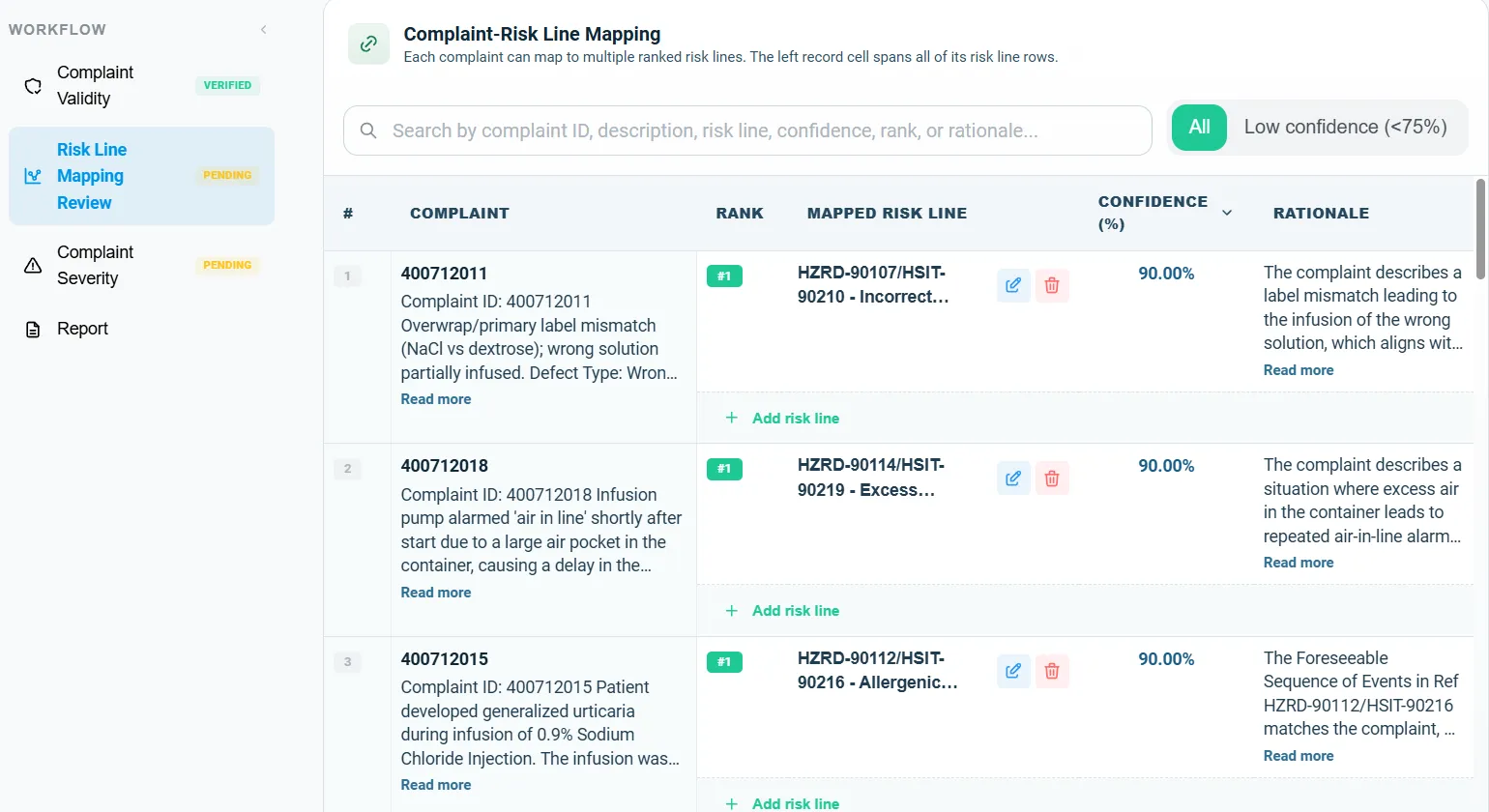
Map events to your risk file
Each complaint and nonconformance is linked to the risk lines it belongs to, with a confidence score. Low-confidence links are flagged for your review, and you can edit any of them.
-
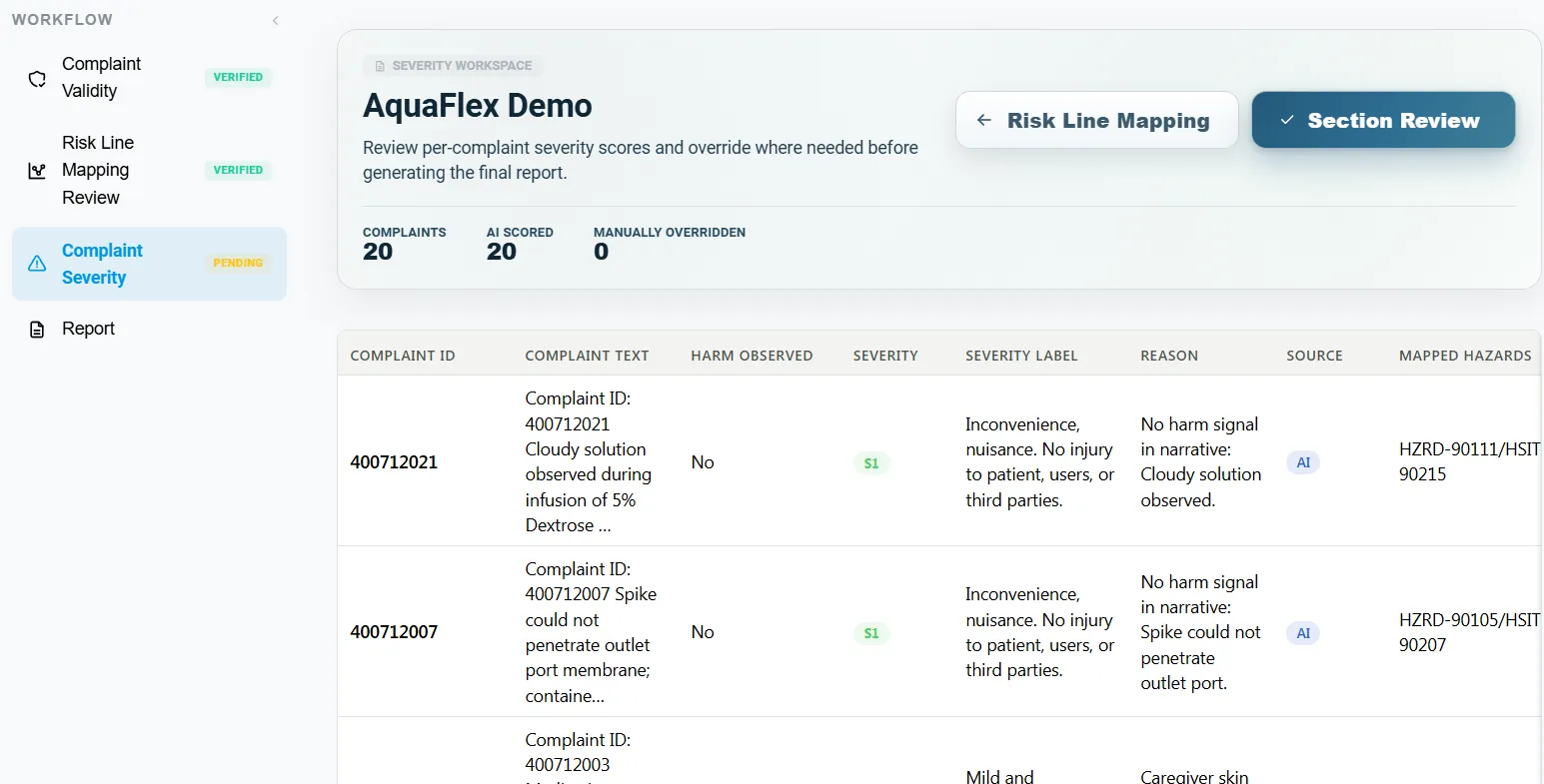
Recalculate severity and occurrence
For each risk line, the observed severity and probability of occurrence are calculated from the mapped events and your volumes, and compared with the values in your risk file.
-
Review and export
The report shows which risk lines changed. Download the complete analysis as an Excel workbook, with one tab for each step.
What IntelliRisk IQ updates in your risk file
For each risk line in your risk file, this is where each value comes from. Your team can review and change every AI suggestion, and with User Review on, the calculations wait until you have.
| Risk file | Content | How it's filled |
|---|---|---|
| Complaints | Whether each complaint is a real product event | Suggested by AI, you can change it |
| Failure-mode categories across the complaints | Suggested by AI, you can change it | |
| Link to risk lines | Complaints mapped to risk lines, with a confidence score | Suggested by AI, you can change it |
| Nonconformances mapped to risk lines | Suggested by AI, you can change it | |
| Severity (S) | Harm severity of each complaint, on your scale | Suggested by AI, you can change it |
| Highest severity observed per risk line | Calculated from mapped complaints | |
| Updated severity: raised if the field shows worse, never lowered | Calculated, compared with your risk file | |
| Probability of occurrence (P1) | Complaints per unit sold | Calculated from Complaints + Sales |
| Nonconformances per unit produced | Calculated from Nonconformances + Production | |
| Probability of harm (P2, PoH) | Share of complaints involving harm (P2) | Calculated from complaints |
| Probability of harm, P1 × P2, placed on your scale | Calculated | |
| Risk evaluation | Risk zone: acceptable, AFAP or unacceptable | Calculated from S and PoH |
| Defect criticality and risk priority number | Calculated | |
| Change flags against the original risk file | Calculated, compared with your risk file | |
| Decisions | Risk control measures and updates to the risk file | Written by your team |
What you bring
The files you already keep, uploaded as one workbook or as separate files.
- Complaints
- An export with a description of each complaint. Dates, model, product line and seriousness are used when present.
- Your risk file
- Your hazard analysis as an Excel sheet or a Word table: risk line, hazard, harm, severity and the estimated P1, P2 and PoH.
- Nonconformances (optional)
- NC number, description, date, product, batch and defect code.
- Units sold
- The number of units sold in the period, used for every complaint rate.
- Units produced
- The number of units produced, needed when you include nonconformances.
- Device description
- A short description of the device, used as context when events are mapped.
What IntelliRisk IQ does
Real events only
Complaints that don't describe a real product event are screened out before anything is counted, and you can override any verdict.
Mapped to your own risk file
Events are linked to the risk lines in the risk file you already have, not a generic hazard list, with a confidence score for each link.
Occurrence from real volumes
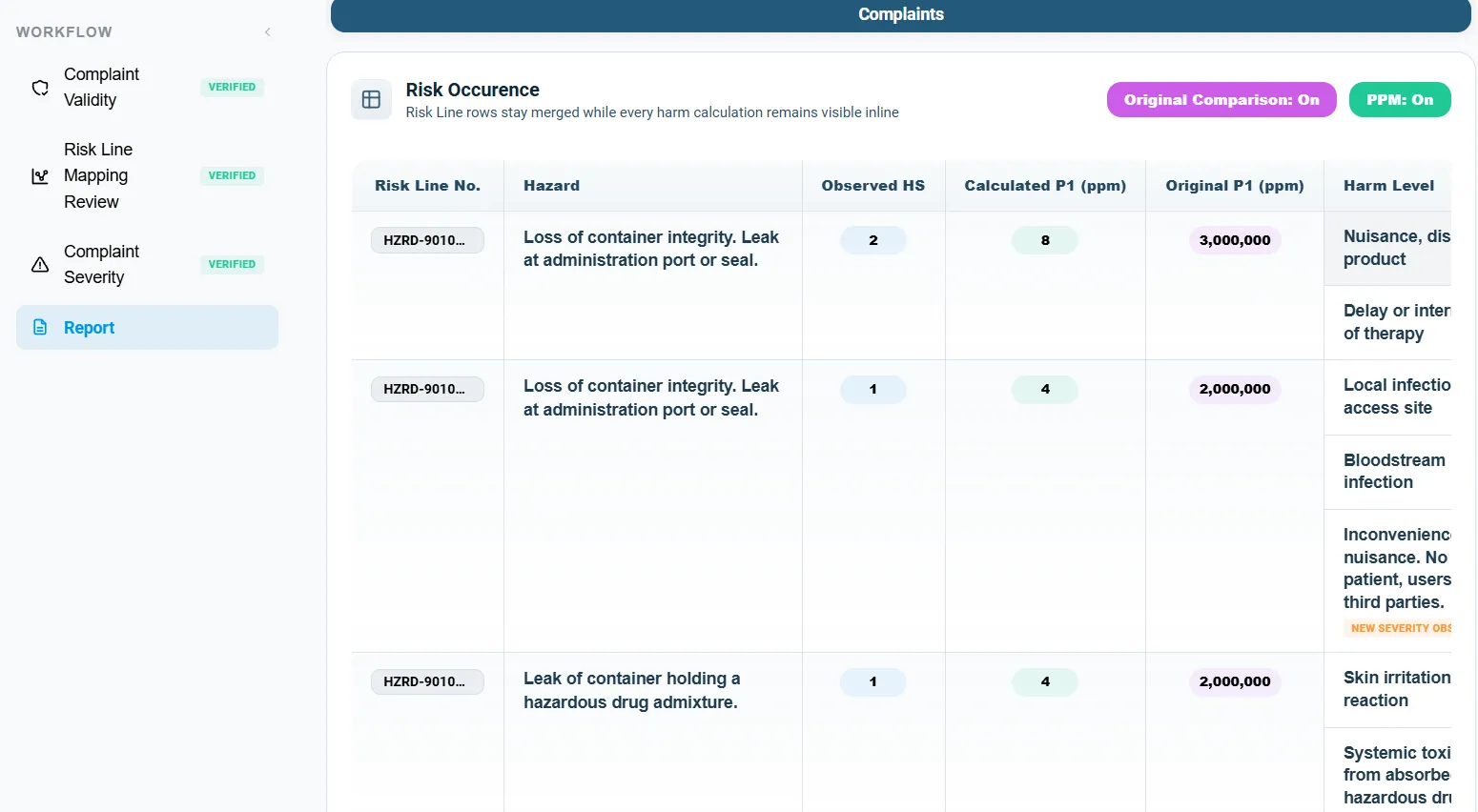
Probability of occurrence is calculated per unit sold for complaints and per unit produced for nonconformances, then placed on your occurrence scale.
Severity never lowered quietly
A risk line's severity can be raised by what the field data shows, but it is never lowered automatically.
Your scales, your acceptability
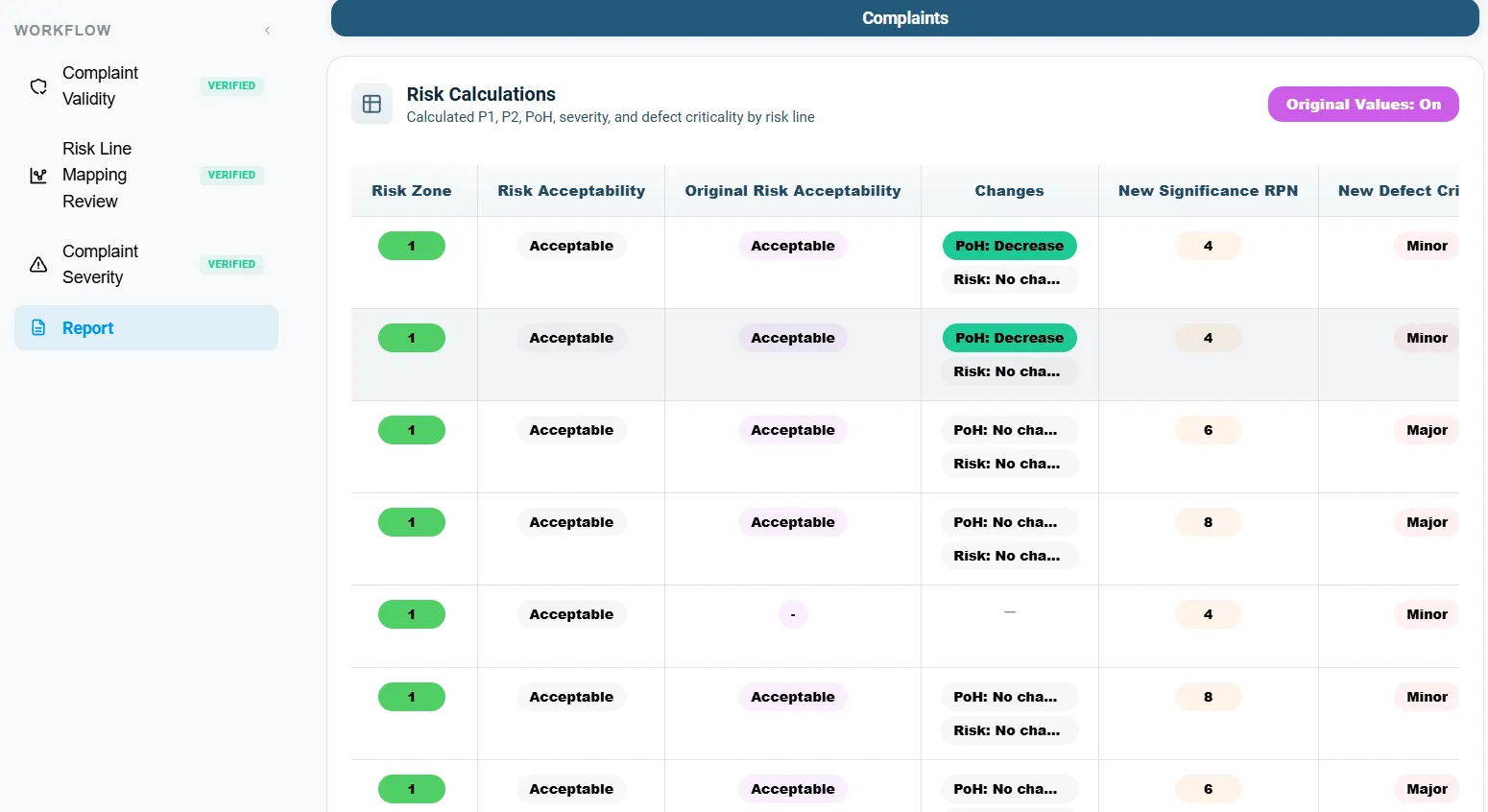
Severity and occurrence scales are set for your company or project, and each risk line is placed in an acceptable, AFAP or unacceptable zone.
Changes flagged
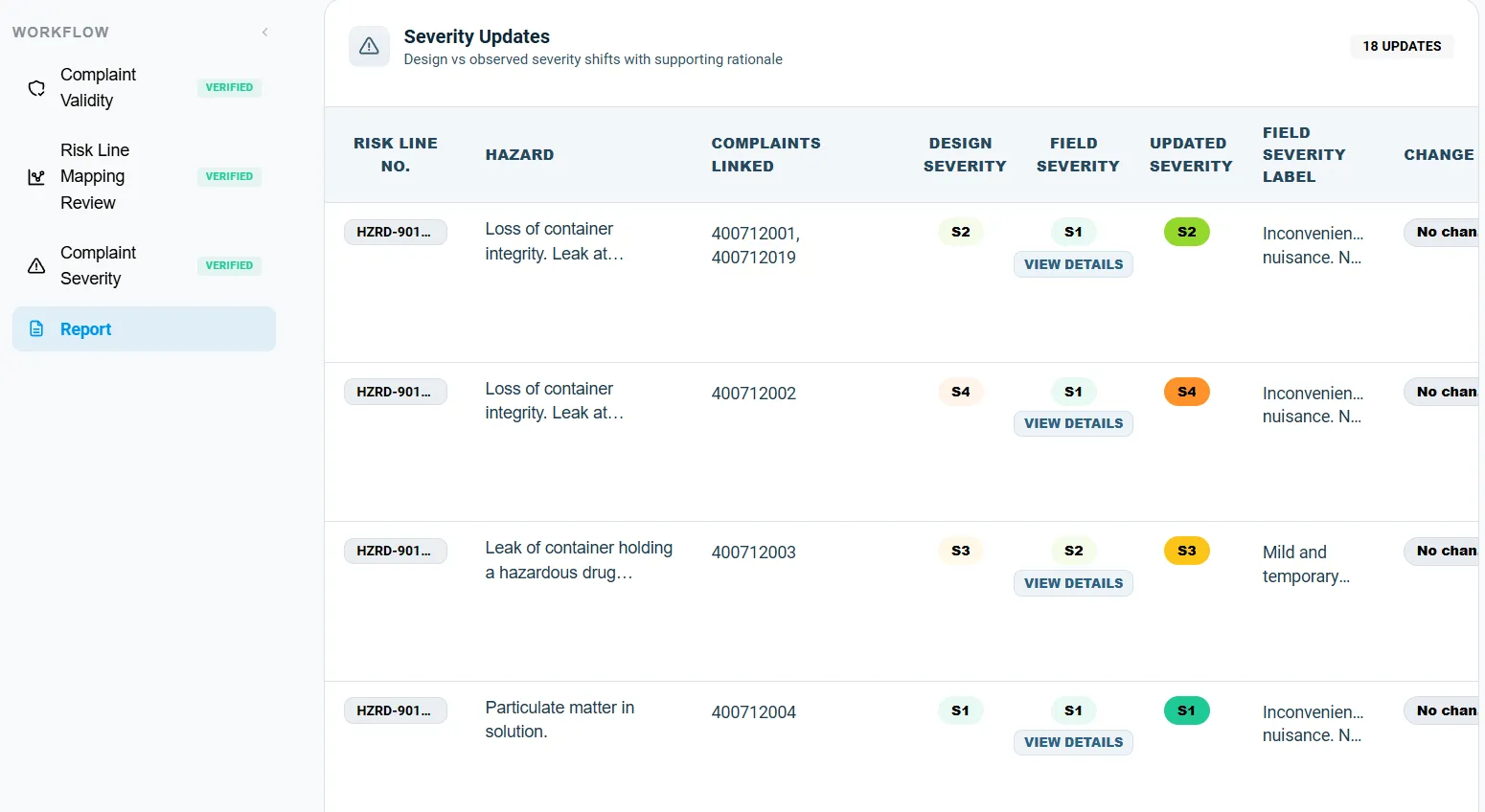
Every risk line shows its original and observed values side by side, with flags where severity, probability of harm or acceptability has changed.
Inside IntelliRisk IQ
Updating a risk file by hand vs with IntelliRisk IQ
| Task | By hand | With IntelliRisk IQ |
|---|---|---|
| Screening complaints | Every complaint is read to decide whether it is a real product event. | Each complaint gets a suggested verdict; you confirm or override it. |
| Linking to risk lines | Complaints are matched to hazards by hand, often in a separate spreadsheet. | Each event is linked to risk lines with a confidence score; low-confidence links come to you. |
| Occurrence | Counted and divided by sales by hand, line by line. | Calculated per unit sold and per unit produced, and placed on your scale. |
| Severity | Judged complaint by complaint, and easy to apply inconsistently. | Suggested on your scale, reviewable, and never lowered automatically. |
| Comparing with the risk file | Original and observed values are compared by hand. | Side by side for every risk line, with change flags. |
| Evidence for an audit | Decisions are spread across emails and spreadsheets. | Every verdict, mapping and override is in the audit trail and the Excel export. |
Common mistakes when updating a risk file from complaints
These are the gaps auditors find most often when post-market data and the risk file don't meet. This is how IntelliRisk IQ handles each one.
Counting every complaint
Shipping issues, negated reports and training questions inflate the counts.
How IntelliRisk IQ handles it: Complaints are screened for real product events first, and you can override each verdict.
Counts without volume
Ten complaints mean something very different across a thousand units and a million.
How IntelliRisk IQ handles it: Occurrence is always calculated per unit sold or produced.
Severity quietly lowered
A milder recent period is used to downgrade a severity the risk file set for good reason.
How IntelliRisk IQ handles it: Severity can be raised by field data but is never lowered automatically.
Complaints left unmapped
Events that don't fit a risk line drop out of the review, and with them possible new hazards.
How IntelliRisk IQ handles it: Every event gets a mapping result, and low-confidence or unmatched ones are flagged for review.
Nonconformances ignored
Production problems carry risk information too, but rarely reach the risk file.
How IntelliRisk IQ handles it: Nonconformances are mapped to risk lines and measured per unit produced, next to complaints.
A risk file that never changes
If field data never moves the risk file, the post-production process isn't working.
How IntelliRisk IQ handles it: Every risk line shows its original and observed values, so changes can't be missed.
Built for review
Review gates when you want them
Turn on User Review and each stage must be verified by your team before the calculations run.
Every override is recorded
Changes to verdicts, mappings and severities are counted and kept with the report.
Uncertain links are flagged
Mappings below the confidence threshold are marked, and you can review and remap them in bulk.
Severity only goes up
Field data can raise a risk line's severity; lowering it stays a decision for your team.
Your scales and roles
Severity and occurrence scales are set per company or project, and view-only users can't change anything.
Changes are recorded
Uploads, AI results, edits, reviews and scale changes are kept in the audit trail.
IntelliRisk IQ questions
What is post-market risk management?
It is the part of ISO 14971 risk management that uses information from production and from the device in use, such as complaints and nonconformances, to check whether the hazards, risk estimates and risk acceptability in the risk file still hold, and to act when they don't.
Does IntelliRisk IQ replace our risk file?
No. It reads your existing risk file and shows, line by line, how real complaint and production data compare with its estimates. Your team decides what changes in the risk file.
Which standards does it relate to?
It supports the production and post-production review in ISO 14971:2019 clause 10, and the evaluation of post-market surveillance information required by EU MDR Annex I Section 3. It does not certify compliance; your risk management process and your team do.
What data do we need?
A complaint export, your risk file as an Excel sheet or Word table, and the number of units sold in the period. Nonconformances are optional; if you include them, add the number of units produced.
Does the AI decide the risk?
No. AI suggests whether a complaint is a real product event, which risk lines it belongs to and how severe the harm was. Your team can review and change those suggestions. The probabilities, risk zones and change flags are then calculated from those results; turn on User Review and they wait until your team has verified each step.
Can we use our own severity and occurrence scales?
Yes. Severity and occurrence scales can be set for your company or for a single project. Default five-level scales are provided to start from.
What do we get at the end?
A report showing which risk lines changed, and an Excel workbook with one tab for each step: complaints, mappings, severity, occurrence and the risk calculations.
Does it work with our own risk file template?
Yes. IntelliRisk IQ works with a standard risk file layout out of the box, and we can set it up for your own risk file template and complaint export, so you keep the format your team already uses.
Can it include nonconformances?
Yes. Nonconformances are screened and mapped to risk lines like complaints, and their occurrence is measured per unit produced. A combined view shows the higher of the two for each risk line.

Get in Touch With Us
Reach out to us for any inquiries or collaborations. We are eager to hear from you and discuss how we can assist in leveraging healthcare data solutions for your business.